
Interesting things you can do with the console
Most of the work I've seen done in the console is limited to `console.log`. There is a lot more that you can do with the console. There's even a living standard hosted at WHATWG. Most of the time we just use `console.log` to print something to the DevTools console. And that's enough, but sometimes we can do more. I was surprised to find out that there is a [specification for the console API](https://console.spec.whatwg.org) that shows some amazing things you can do with the console. Caveats: * The console specification is an early work that documents existing functionality in browsers * I will not cover all commands listed in the specification, only the ones I find most useful * Some of these commands will work on Node.js and the browser * I haven't tested all of them in Node * I expect some of these commands not to have the same effect in Node as they do in the browser ## Severity levels on the console In addition to `console.log`, you can also log info, warning, and error type messages to the console using `console.info`, `console.warn`, and `console. error`. The difference is in the output each command produces. 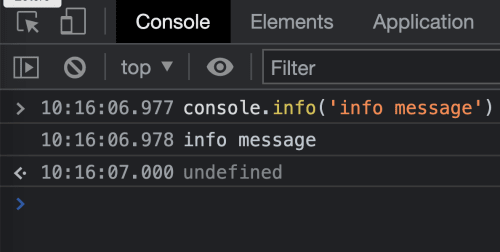 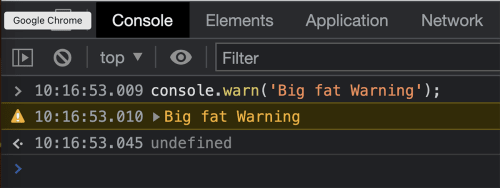 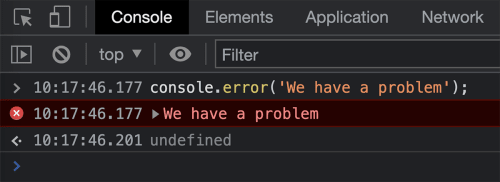 Chrome DevTools allows you to filter the display based on levels so you could list only info, warn or error levels messages. ## Laying out content in a table Depending on the type of content you may want to display it as a table. `console.table` will display array and array-like data in a tabular layout. 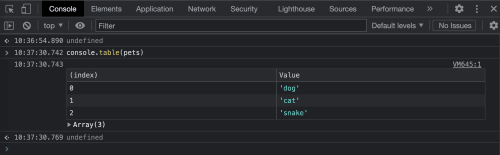 ## Listing data in JSON format `console.dir` displays the given data in JSON format. 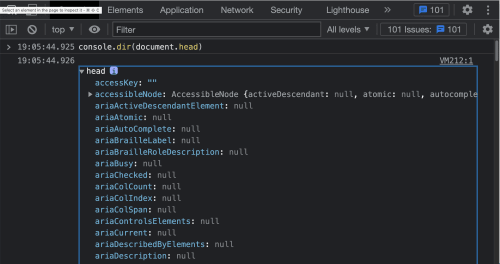 Google Developer's [Console API reference](https://developer.chrome.com/docs/devtools/console/api/) contains additional API methods available in Chrome DevTools.